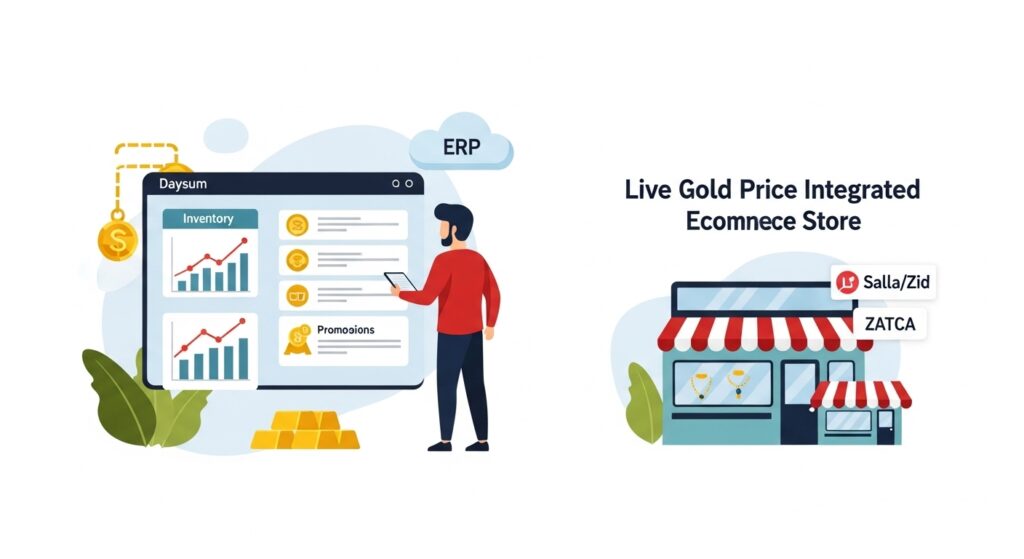
If your store runs on Zid and your accounts live in a separate system, someone on your team is probably copying orders, prices and stock levels between the two by hand. A Zid integration with Odoo replaces that work: the product, its options and its price are defined once, each order reaches Odoo as soon as it is placed, and it becomes an invoice, a journal entry and a stock movement without being typed again.
The integration is technically possible because Zid provides APIs and real-time webhooks that let an external system read orders, products and customers. Odoo, for its part, already has standard models for products and variants, warehouses, invoices and journal entries. The job of the integration is to map Zid’s data onto those models accurately.
This guide explains what syncs between a Zid store and Odoo, how a Zid order turns into an e-invoice and a journal entry, how several warehouses are handled, and the practical steps to set up the integration with the Daysum team for your store.
Why a Zid Store Needs an ERP Integration
A Zid store needs an ERP integration once order volume outgrows manual entry, or once the merchant sells the same stock through more than one channel. Zid’s dashboard is built to run sales; an ERP is built to run accounting, inventory, purchasing and tax together.
A small store can export orders to a spreadsheet each week and key them into the accounting software. As the store grows, the same problems keep coming back: an order entered twice, a return that never reaches the books, or an item sold in the showroom that still shows as available online.
Odoo ERP adds what e-commerce platforms usually leave out: cost of goods sold, bank reconciliation, profit per product and the VAT return. With an integration, those reports are built on the store’s actual data rather than on figures copied across at month end.
What Syncs Between Zid and Odoo
Syncing usually covers four areas: products and options, prices, stock, and orders with customer data. Each area needs an agreed direction and a single source of truth before go-live, so the two systems never edit the same data at the same time.
| Data | Suggested Source | Sync Direction | When It Runs |
|---|---|---|---|
| Product, options and SKU | Odoo | Odoo to Zid | When a product is created or edited |
| Price | Odoo or Zid, by store policy | One direction only | When a price changes |
| Stock quantity | Odoo | Odoo to Zid | After each stock movement or at short intervals |
| Order | Zid | Zid to Odoo | When the order is created and when its status changes |
| Customer details | Zid | Zid to Odoo | When a customer is created or updated |
Zid Product Options and Odoo Variants
Zid product options are shown to shoppers as a drop-down for a main attribute such as colour or size, and recurring options can be saved in Zid’s options library for reuse. Each combination of option values, such as red in size M, behaves as a separate item for stock purposes.
In Odoo these map to attributes and variants. The key rule is that every variant carries a unique SKU that matches on both sides, because the SKU is what links an order line in Zid to the right product in Odoo. One mismatched code means a stuck order or a stock movement against the wrong item.
Zid Pricing in Odoo
Prices should be managed in one place only. If your pricing team works in Odoo with price lists and known costs, send the price from Odoo to Zid. If marketing changes prices and offers from the Zid dashboard, read the price from each order and do not push it from Odoo.
Tax setup is a sensitive point. Zid’s tax settings let you state whether the prices you enter already include VAT, and the tax configuration in Odoo must match that choice. Otherwise you will see halala differences between the order total and the invoice total.
Zid Stock and Odoo Inventory
Odoo is usually the source of truth for stock, because it records purchases, transfers, counts, returns and branch sales. After each movement, the integration sends the available quantity to Zid through the API, so the store does not sell a piece that has already gone from the showroom.
This is the most common reason merchants ask for an integration: a showroom, a point-of-sale terminal and a Zid store, all needing one correct stock figure.
Zid Orders and Customers
Zid sends real-time webhooks when an order is created, when its status changes and when its payment status changes, along with webhooks for new and updated customers, according to Zid’s webhook documentation. The integration receives these events and creates a sales order in Odoo with the customer, items, quantities, discount, shipping fee and payment method.
The sales order in Odoo should keep the Zid order number as a reference, so the accountant can trace any query or return back to the original order.
From Zid Order to E-Invoice and Journal Entry
The end goal of the integration is that every completed order becomes an electronic tax invoice and a correct journal entry with no manual step. Inside Odoo this happens in sequence after the order arrives from Zid.
- Create the sales order in Odoo with the items and prices as they appear in the Zid order.
- Reserve stock in the assigned warehouse, then validate the delivery when the order ships.
- Issue a simplified tax invoice for an individual buyer, or a standard tax invoice if the buyer is a VAT-registered business.
- Send the invoice to the Fatoora platform under Phase 2 rules: simplified invoices are reported within a maximum of 24 hours, and standard invoices are cleared before they are shared with the buyer.
- Record the payment against the payment gateway or courier account for cash on delivery, then match it during bank reconciliation.
The result is a sales entry that records revenue and 15% output VAT, and a cost entry that reduces inventory by the cost of the items sold. For example, an order of SAR 230 including VAT is booked as SAR 200 revenue and SAR 30 output VAT. For more on connecting to ZATCA, see our ZATCA Phase 2 e-invoicing guide.
Also read: Daysum’s ZATCA-approved e-invoicing solution, which explains how invoices are issued and sent to Fatoora from inside the system.
Managing Several Warehouses with a Zid Store
Zid supports several inventory addresses, stock transfer requests between them, stock counts and a withdrawal priority that decides which warehouse fulfils an order first. Zid’s help centre notes that withdrawal priority is not available on free plans.
When you connect several warehouses to Zid, each Zid inventory address should map to a specific warehouse in Odoo. Odoo then sends the available quantity per warehouse and records the issue from the warehouse that actually shipped the order, so cost of goods sold and branch balances stay correct.
If a branch sells through POS while a main warehouse serves the online store, you can decide what each warehouse offers on Zid, for example holding back part of the branch stock for walk-in customers. We cover the same idea in our article on multi-warehouse stock for an online store; the principle carries over to Zid.
If you run more than one warehouse and want to see how this could be set up in Odoo for your store, talk to the Daysum team to review your warehouse structure before you start.
Steps to Configure a Zid Odoo Integration with Daysum
A Zid Odoo integration is a short setup project with defined steps, not a plug-in you install with one click. The Daysum team builds the integration on the Odoo system that runs your accounts, shaped around how your store works. The stages look like this.
- Scope: what data moves, which system owns price and stock, and whether branches and POS are involved.
- Access: the developer creates a Private App in the Zid Partners platform and the merchant grants the permissions needed to reach store data, as described in Zid’s API integration guide.
- SKU clean-up: review every product and its options on both sides and fix duplicate or empty codes.
- Odoo setup: taxes, warehouses, chart of accounts, and accounts for payment gateways and couriers.
- Testing: run test orders that include a discount, shipping, a return and cash on delivery, and compare the results with the Zid dashboard.
- Go-live and follow-up: monitor orders in the first weeks and handle any case the tests did not cover.
Conclusion: Your Zid Store and Your Books Match Every Day
A Zid integration with Odoo turns the online store from a separate data source into part of your accounting system. Products and options are defined once, stock shows one figure across every channel, and each order becomes an e-invoice and a journal entry without re-entry.
Success depends on two decisions made before any development: which system owns price and stock, and whether SKUs are consistent. Once those are settled, the rest is structured setup and testing.
If your store runs on Zid and you want to know what can be connected in your case, contact the Daysum team to discuss the scope of the integration and how it would be set up on Odoo.
FAQs About Zid Odoo Integration
Zid product options map to attributes and variants in Odoo, and each variant is linked by a unique SKU on both sides. Price is managed from one side only: either from Odoo and pushed to Zid, or from Zid and read from each order. The VAT-inclusive price setting must match in both systems to avoid halala differences.
Yes, provided Odoo is the source of stock and the branch sells through a POS linked to it. A branch sale reduces the quantity in Odoo, and the integration then sends the new balance to Zid through the API. The store therefore does not show a piece that is no longer in the warehouse.
The integration can be set up so that Odoo issues a tax invoice for every completed order and sends it to the Fatoora platform under Phase 2 rules. Simplified invoices for individuals are reported within a maximum of 24 hours, and standard invoices for businesses are cleared before they are shared with the buyer. The journal entry for revenue, VAT and cost is recorded at the same time.
Daysum builds a Zid Odoo integration as a setup project around each store's needs, not as a ready app installed from an app marketplace. The project starts by agreeing what data to sync and which system owns price and stock. You can contact the Daysum team to discuss your case and what can be set up for it.
In most cases yes, because Zid allows integrations through a Private App created in the Zid Partners platform using its APIs. The developer builds the integration and maps the data, while the merchant only grants the required permissions. When you work with Daysum, the team handles these steps as part of the setup project.